Do you manage a large number of vehicles and don't want to manually enter data for each one or search for them by license plate number?
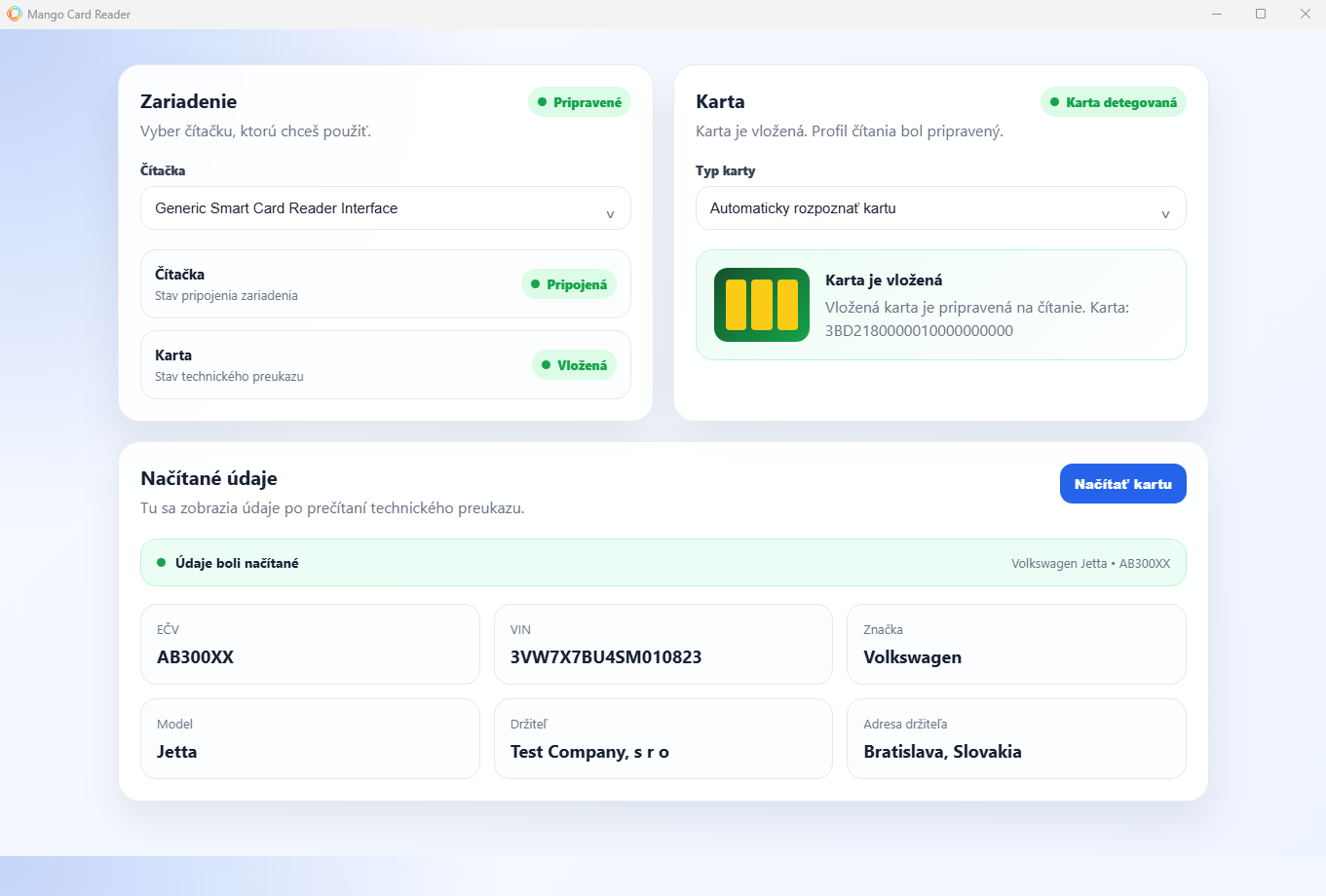
Mango Card Reader is a standalone computer application that can connect CRM Mango to an external card reader. After inserting the vehicle registration certificate into the reader, we will read the available data directly from the card and you will find it in the vehicle list in CRM Mango.
Less manual typing. More automation.
When creating a new vehicle, you do not have to manually rewrite the data from the technical certificate. Mango Card Reader can read available data from the technical license plate, such as registration number, VIN, make, model, vehicle owner and other data. This data is then automatically transferred to CRM Mango, where it will make it easier and faster for you to create a new vehicle.
Insert the technical certificate. Mango will find the vehicle.
Mango Card Reader may not only be used when registering a new vehicle. If you already have a vehicle registered in CRM Mango, just insert its technical certificate into the connected reader and Mango can automatically open a specific vehicle for you. This will be especially appreciated by companies with a larger fleet. You don't have to search for a vehicle by registration number - just use the technical certificate.
How does it work?
1. Connect a compatible card reader to your computer.
2. Download and install the Mango Card Reader application.
3. Insert the vehicle registration certificate into the reader.
4. Mango Card Reader reads the data from the technical license.
5. Mango will use the data when working with vehicles.
What do you need?
To use Mango Card Reader you need:
- active transport module in CRM Mango,
- an external card reader, which the client provides separately,
- installed Mango Card Reader application.
The application itself Mango Card Reader is available for free.
Download Mango Card Reader
Download the Mango Card Reader app and simplify your work with records in Mango CRM.